Script Studio vs ScriptRunner for Jira Cloud
Looking for advanced Jira scripting beyond standard automation? Compare two approaches to extending Jira Cloud and see how Script Studio brings TypeScript development directly inside Jira.
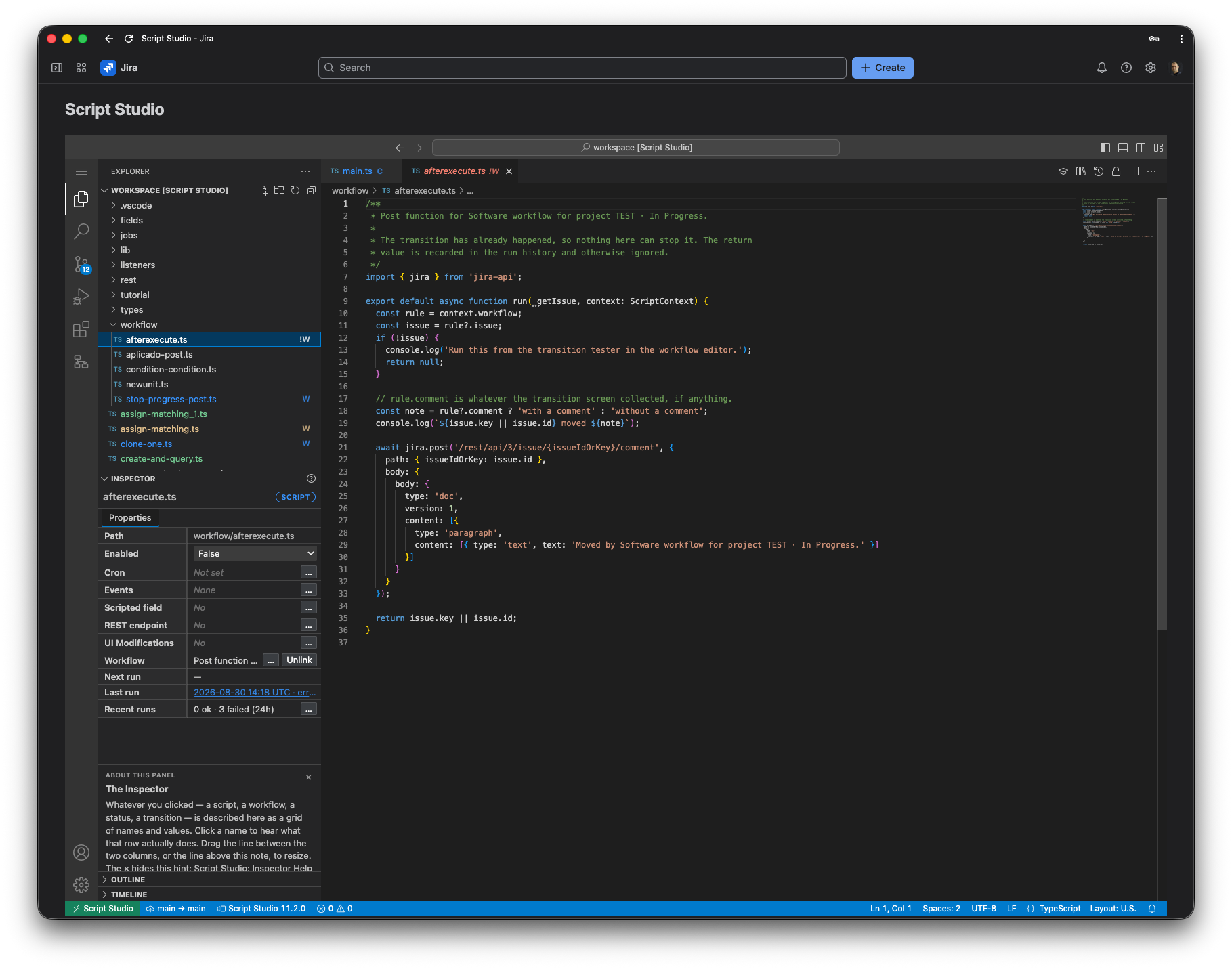
Two ways to extend Jira beyond standard automation
Both Script Studio and ScriptRunner are designed for teams that need more flexibility than standard Jira Automation can provide. Script Studio focuses on a TypeScript-first development experience inside Jira Cloud, with one workspace for scripts, listeners, workflows, scheduled jobs, calculated fields, REST endpoints and more.
Script Studio
- TypeScript-first
- VS Code-style workbench
- Built specifically for Jira Cloud
- Multiple extension points from one workspace
- Jira REST API integration
- Source control and execution history
ScriptRunner
- Established Jira scripting platform
- Broad automation and scripting capabilities
- Large existing customer base
- Long history in the Atlassian ecosystem
- Different scripting model and product architecture depending on deployment/platform
Side by side
Feature comparison
Scripting language
- Script Studio
- TypeScript
- ScriptRunner
- Groovy (with the HAPI helper API); Behaviours scripts use JavaScript
Development environment
- Script Studio
- VS Code-style workbench inside Jira, with Jira-aware code assistance
- ScriptRunner
- Script Console and Script Manager inside Jira
Event listeners
- Script Studio
- Yes
- ScriptRunner
- Yes (Script Listeners)
Scheduled jobs
- Script Studio
- Yes, cron-based
- ScriptRunner
- Yes (Scheduled Jobs)
Workflow conditions & validators
- Script Studio
- Yes, written in TypeScript
- ScriptRunner
- Yes, written as Jira expressions (Workflow Rules)
Workflow post functions
- Script Studio
- Yes
- ScriptRunner
- Yes (Workflow Rules)
Calculated fields
- Script Studio
- Yes
- ScriptRunner
- Yes (Scripted Fields)
REST / HTTP endpoints
- Script Studio
- Yes, with token-protected addresses
- ScriptRunner
- Not listed among ScriptRunner for Jira Cloud features
Field behaviour / UI modifications
- Script Studio
- Yes (UI Modifications)
- ScriptRunner
- Yes (Behaviours), via a separate companion Forge app
Source control
- Script Studio
- Built in: connect GitHub, GitLab or Bitbucket from the workspace
- ScriptRunner
- Not built in; the docs recommend keeping scripts in an external Git system
Execution history
- Script Studio
- Run History with runs, errors and activity chart
- ScriptRunner
- Execution History, Script Logs (kept 14 days) and Audit Logs
Platform
- Script Studio
- Jira Cloud app built on Atlassian Forge
- ScriptRunner
- Jira Cloud app built on Atlassian Connect; separate Data Center product
Feature descriptions checked against the ScriptRunner for Jira Cloud documentation at docs.adaptavist.com (October 2026). ScriptRunner documentation.
A TypeScript development environment inside Jira
Script Studio is designed for developers and technical Jira administrators who prefer working with TypeScript instead of proprietary scripting approaches or purely visual automation tools.
TypeScript-first
Write Jira logic using a mainstream programming language familiar to modern development teams.
Integrated Workbench
Edit, organize and run scripts without leaving Jira.
Jira-aware development
Work directly with Jira REST APIs, events, workflows and other Jira extension points.
One codebase
Reuse your TypeScript code across listeners, scheduled jobs, workflows, fields, endpoints and other extensions.
One script. Multiple ways to run it.
Build reusable TypeScript logic once and connect it to multiple Jira extension points from the same workspace.
What can you build with Script Studio?
Automate Jira events
React to issue creation, updates, comments and other Jira events.
Run scheduled processes
Execute recurring TypeScript jobs using cron schedules.
Extend workflows
Build custom conditions, validators and post functions.
Create calculated fields
Derive values dynamically using TypeScript logic.
Expose custom endpoints
Create HTTP endpoints for integrations and custom processes.
Build reusable Jira logic
Share common code between different automation and scripting scenarios.
Script Studio may be a good fit if...
Choose Script Studio if you want a TypeScript-first, code-centric approach to Jira Cloud automation.
Script Studio takes a different approach, centered around TypeScript and a developer-oriented Jira Cloud experience.
- Your team already works with TypeScript or JavaScript
- Jira Automation is becoming too restrictive
- You want a code-first approach instead of only visual rules
- You want scripting directly inside Jira Cloud
- You want one workspace for different Jira extension points
- Developers and Jira admins need to collaborate on automation
See Script Studio in action
Workbench & code assistance
TypeScript workbench with Jira-aware development tools inside Jira Cloud.
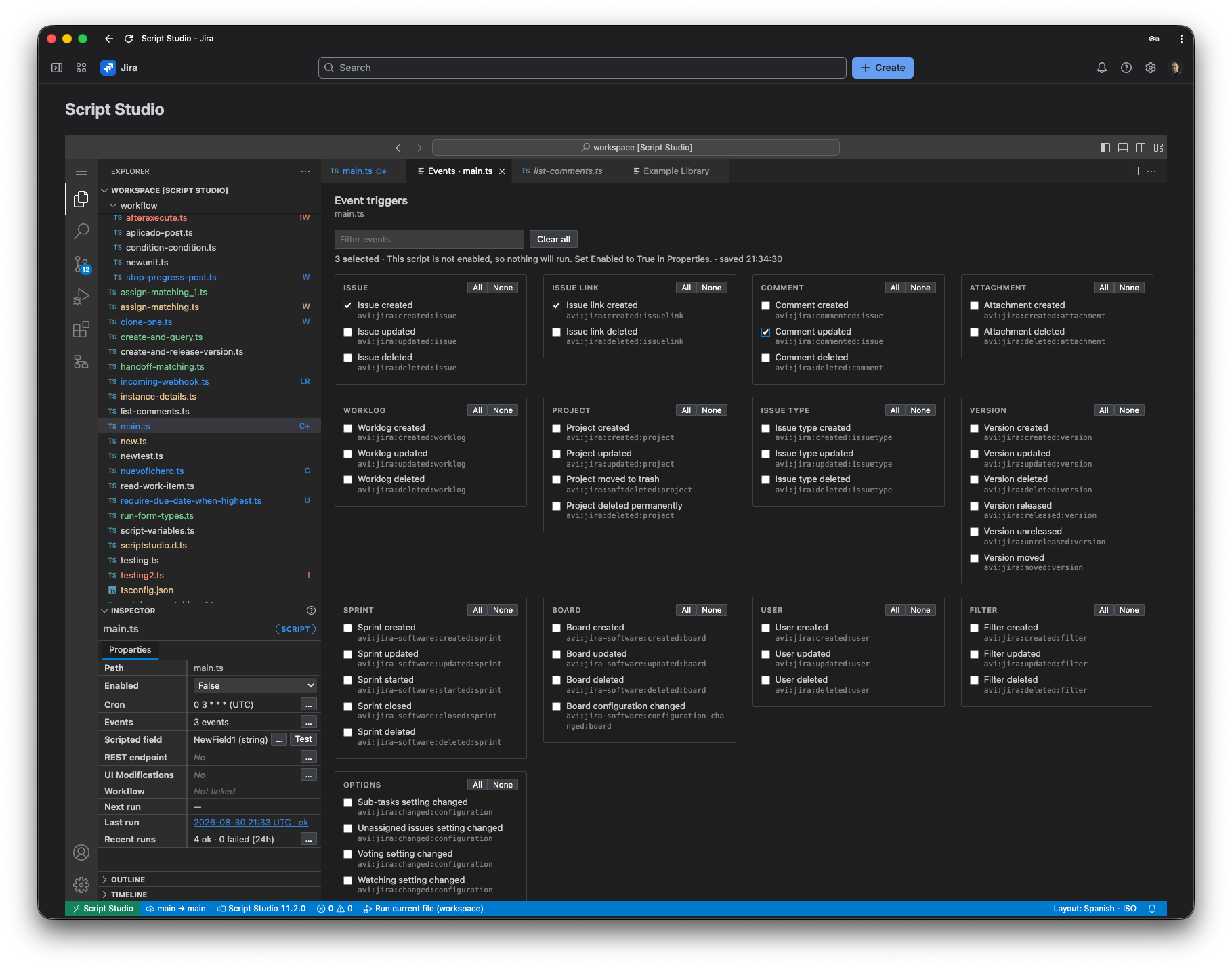
Event listener
Event selection with searchable event groups.
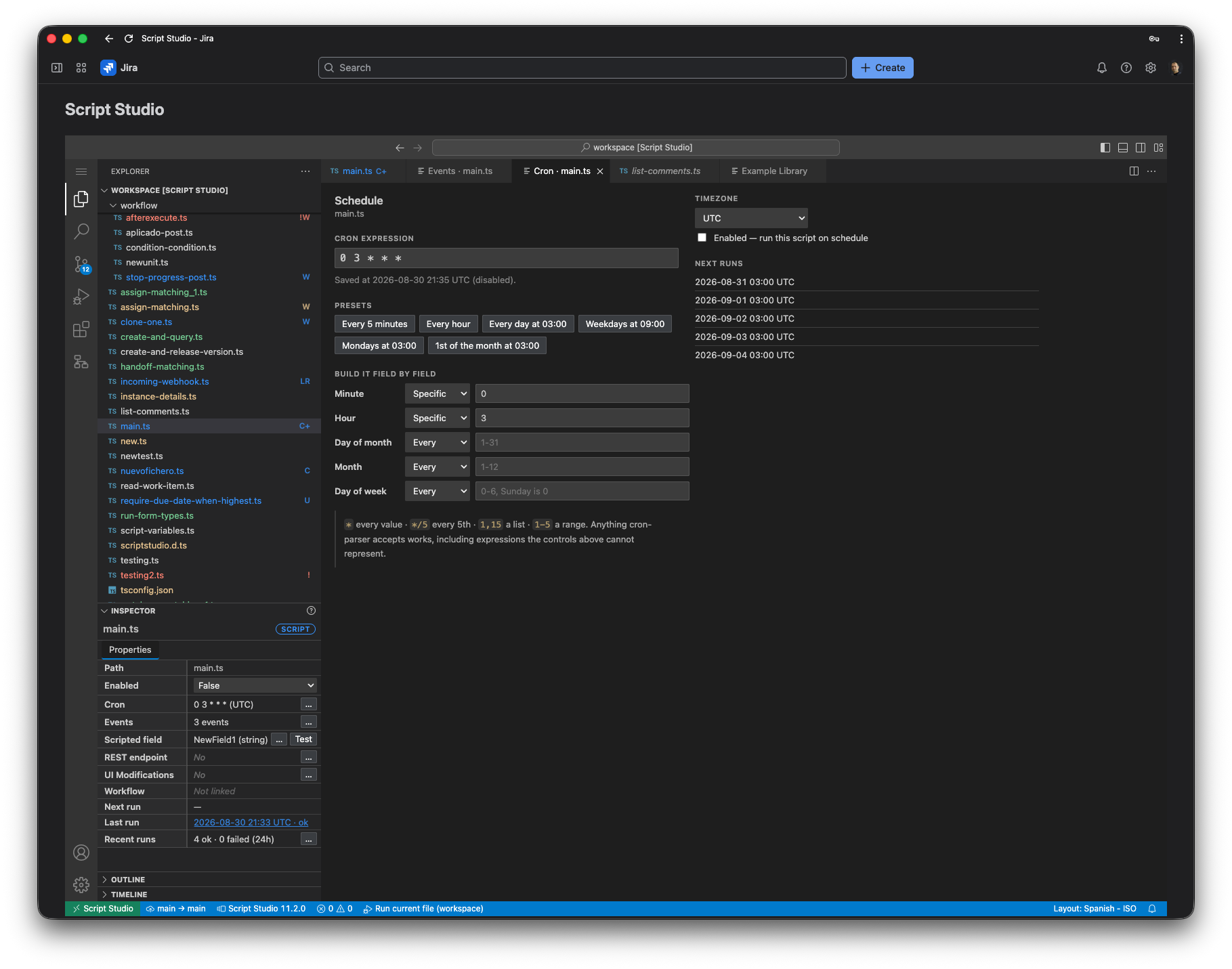
Scheduled job
A scheduled job with cron settings and execution history.
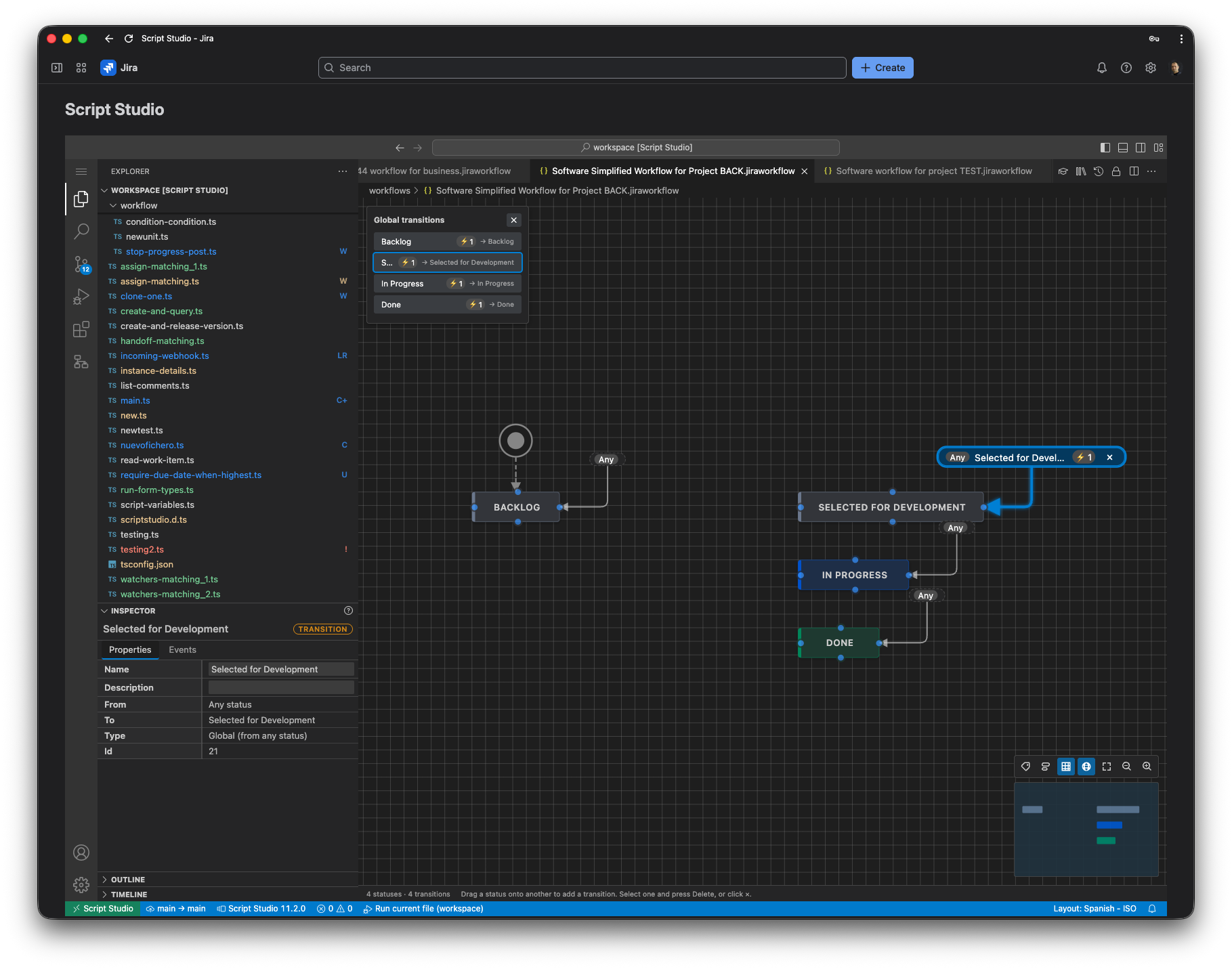
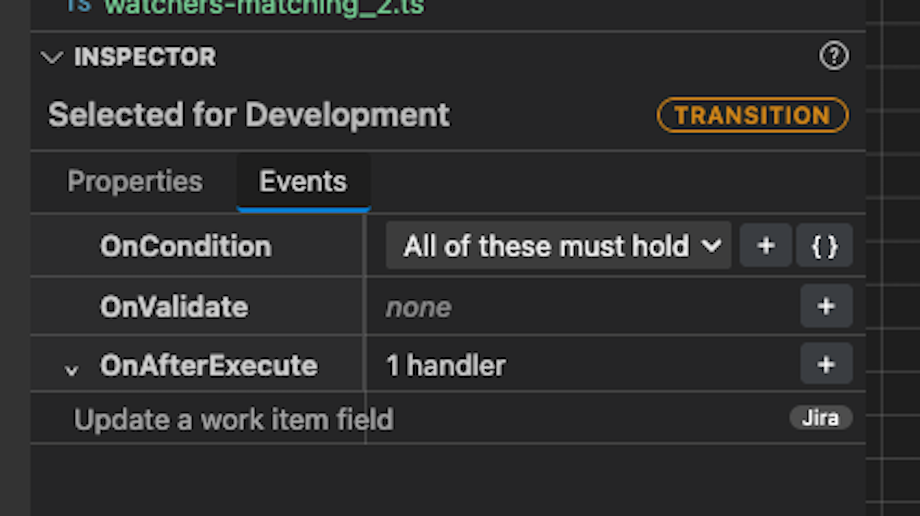
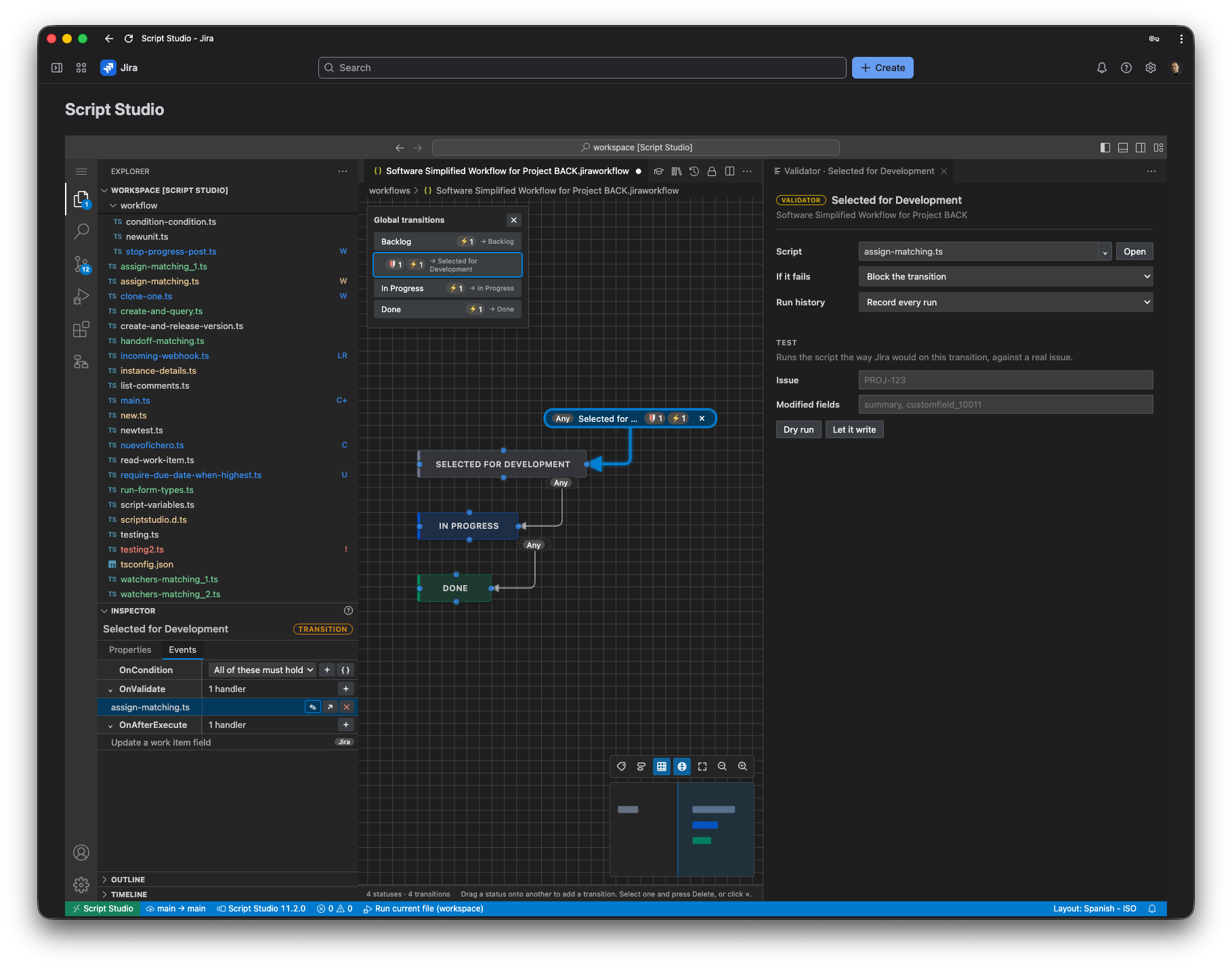
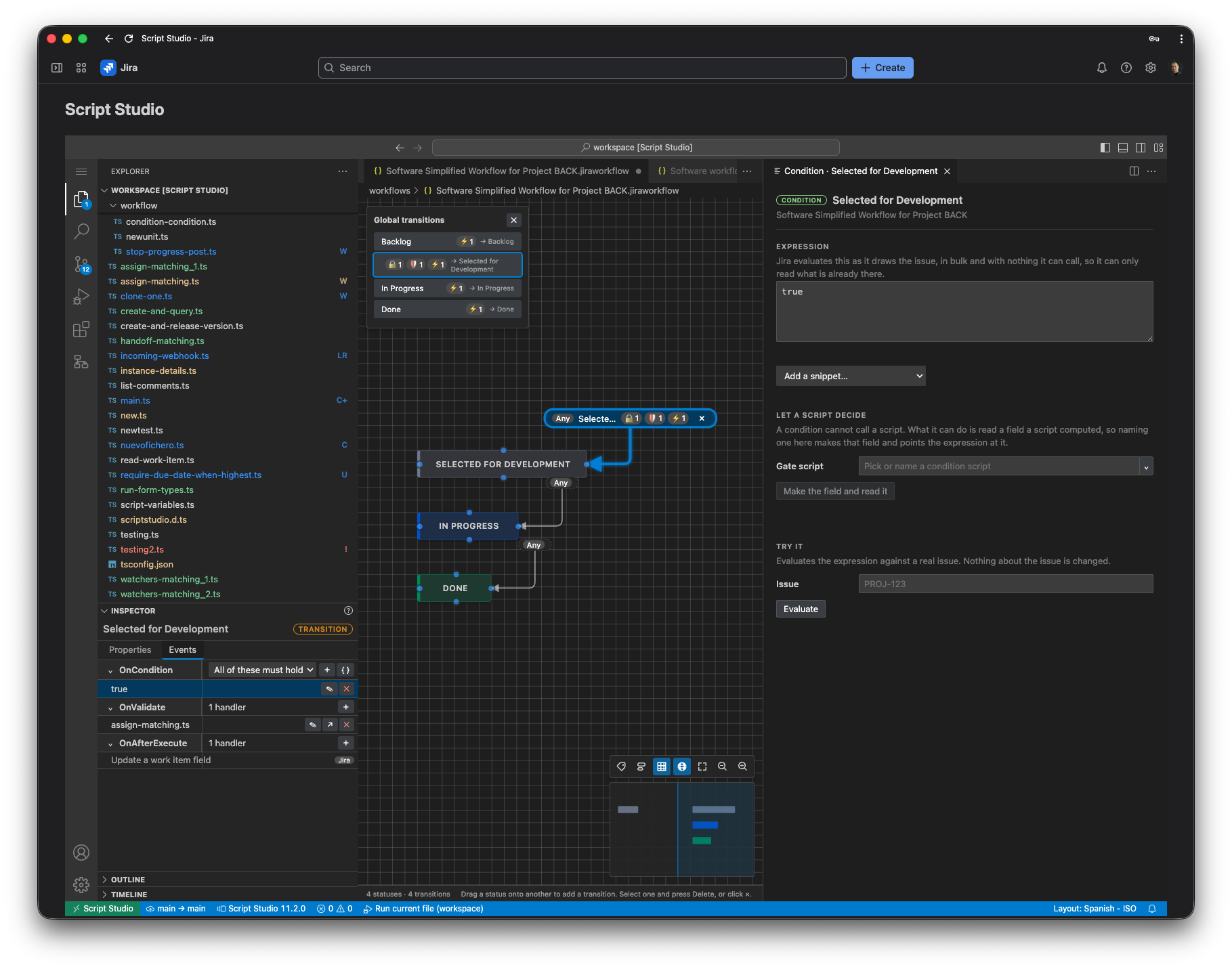
Workflow function
A workflow function linked directly to code in the workbench.
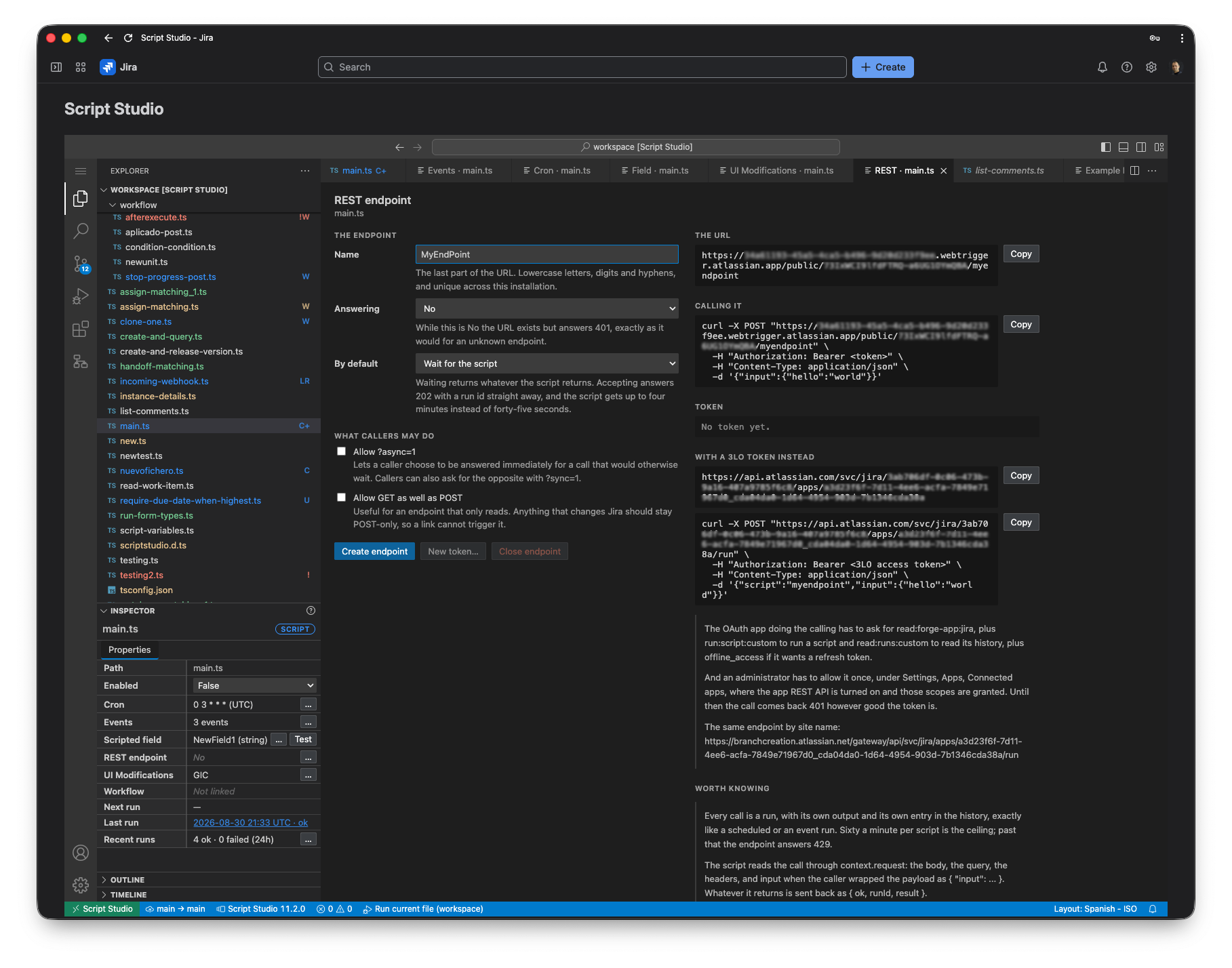
HTTP endpoint
HTTP endpoint settings, example call and token status.
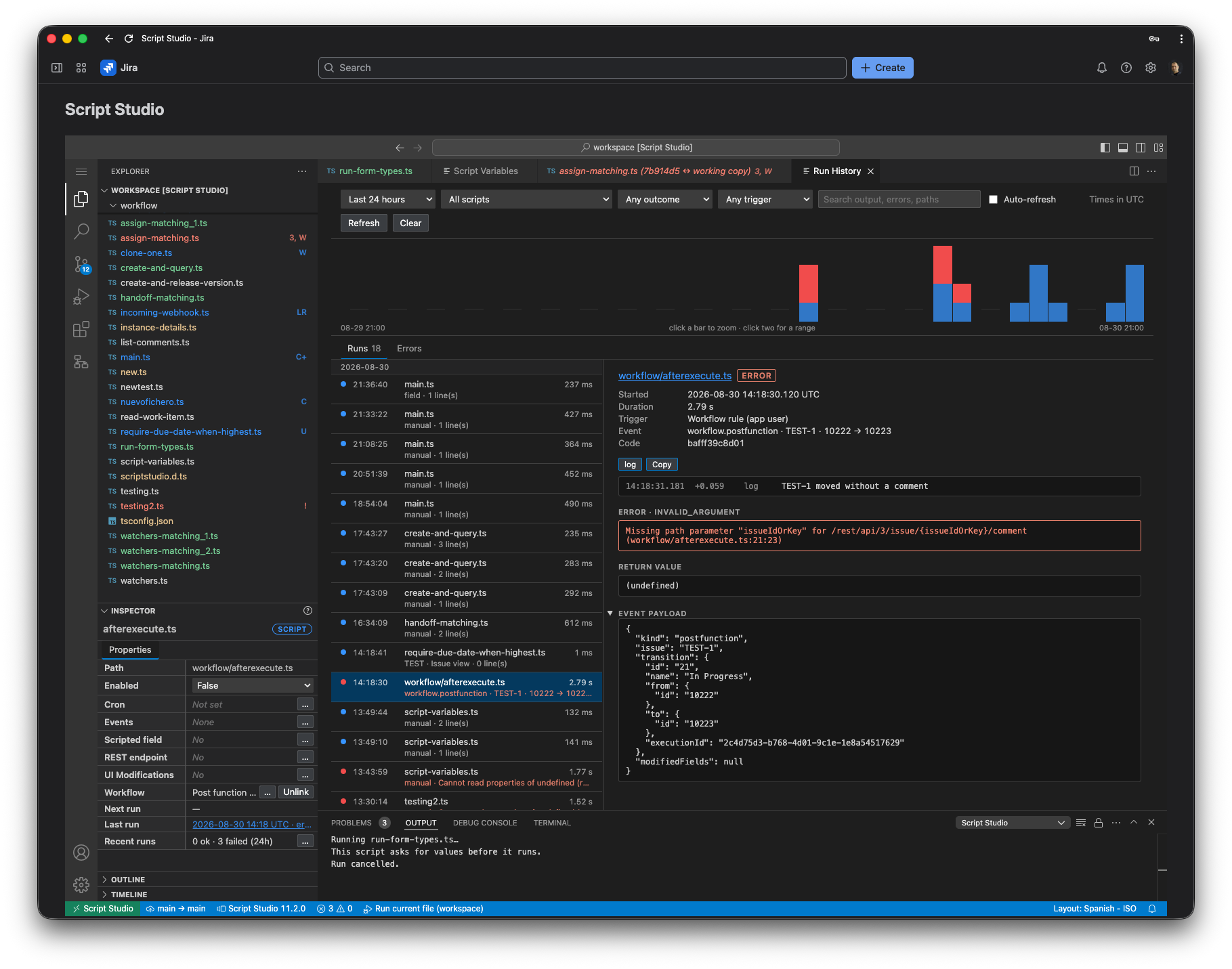
Run history
Run history with activity, errors and details.
More screenshots
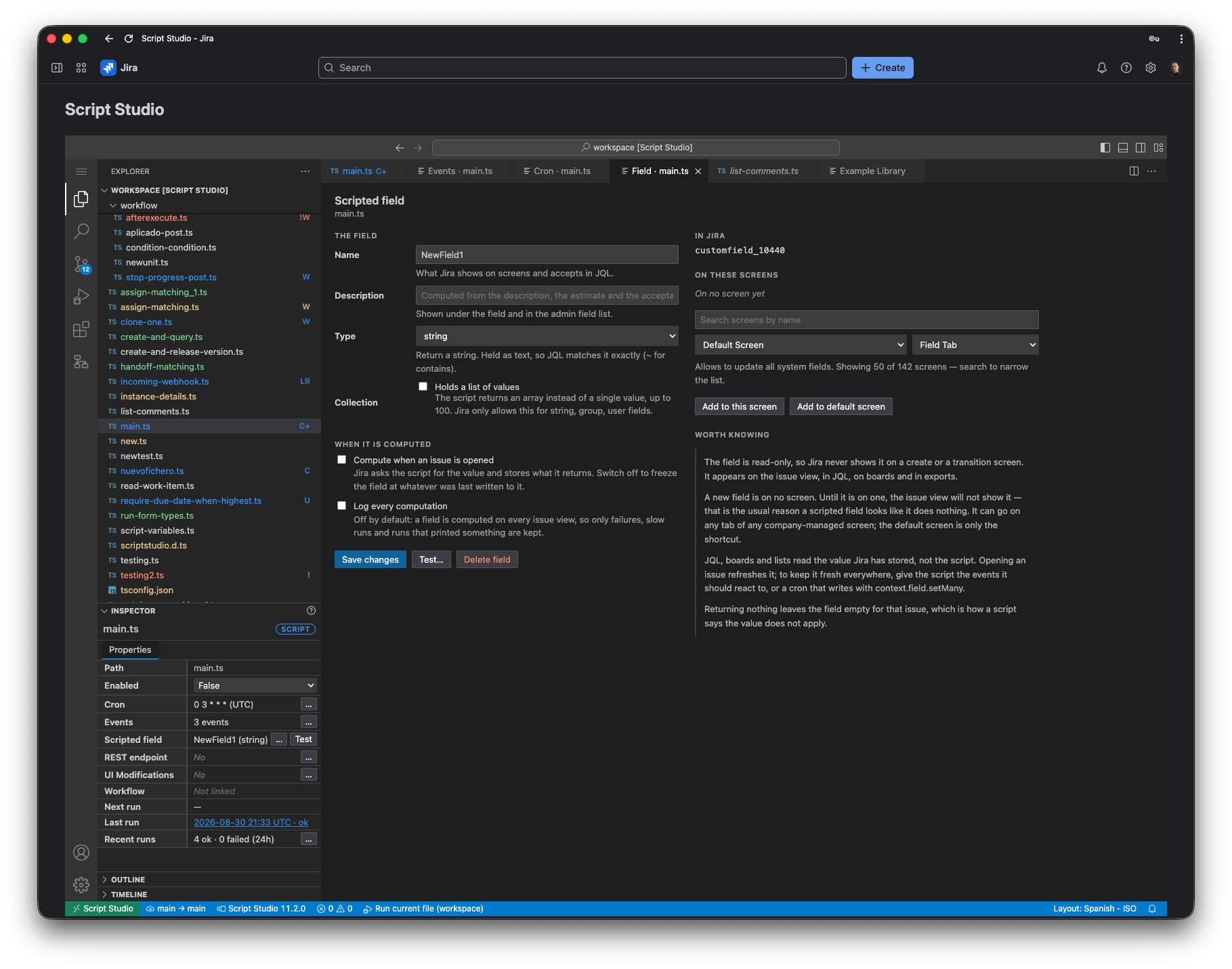
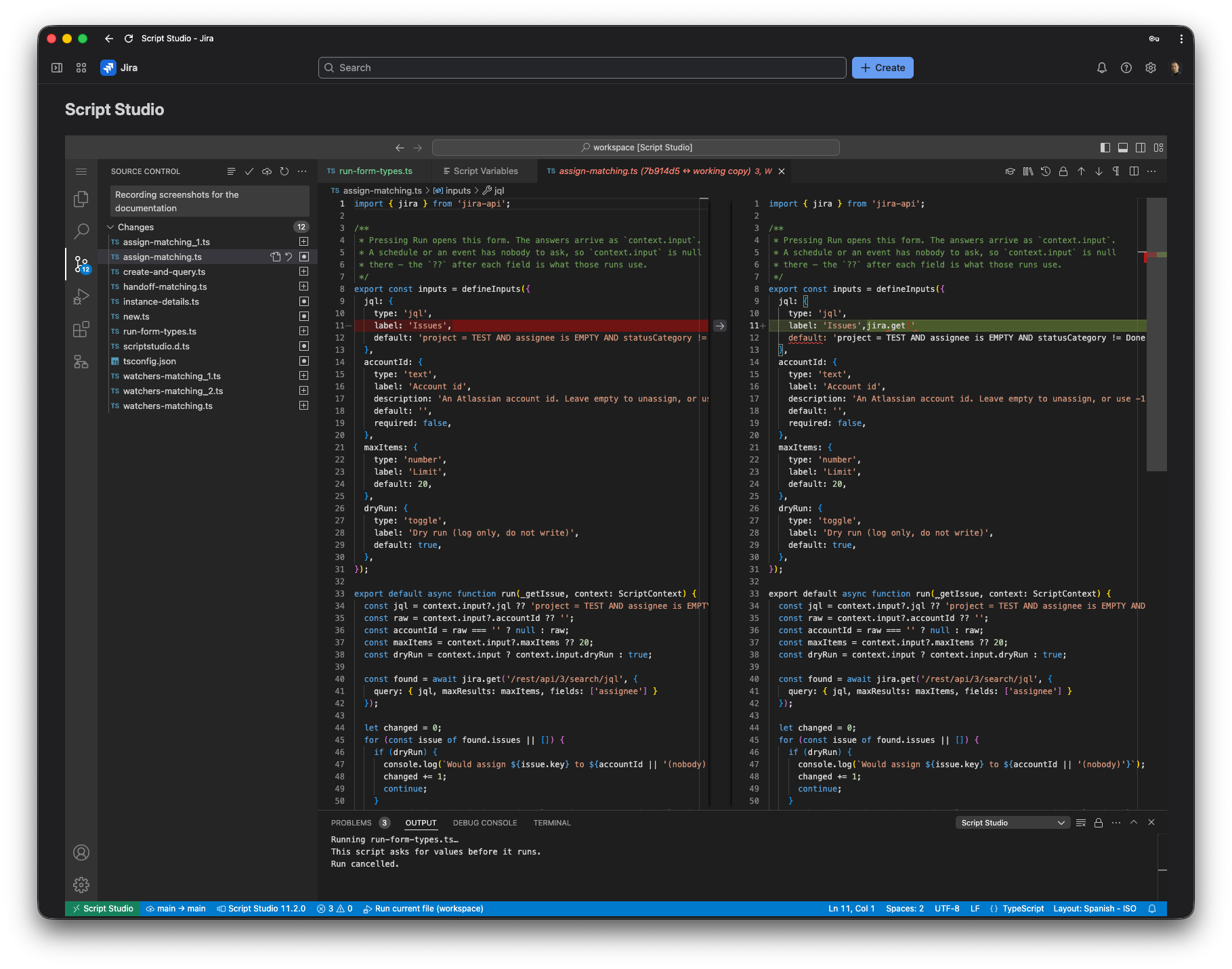
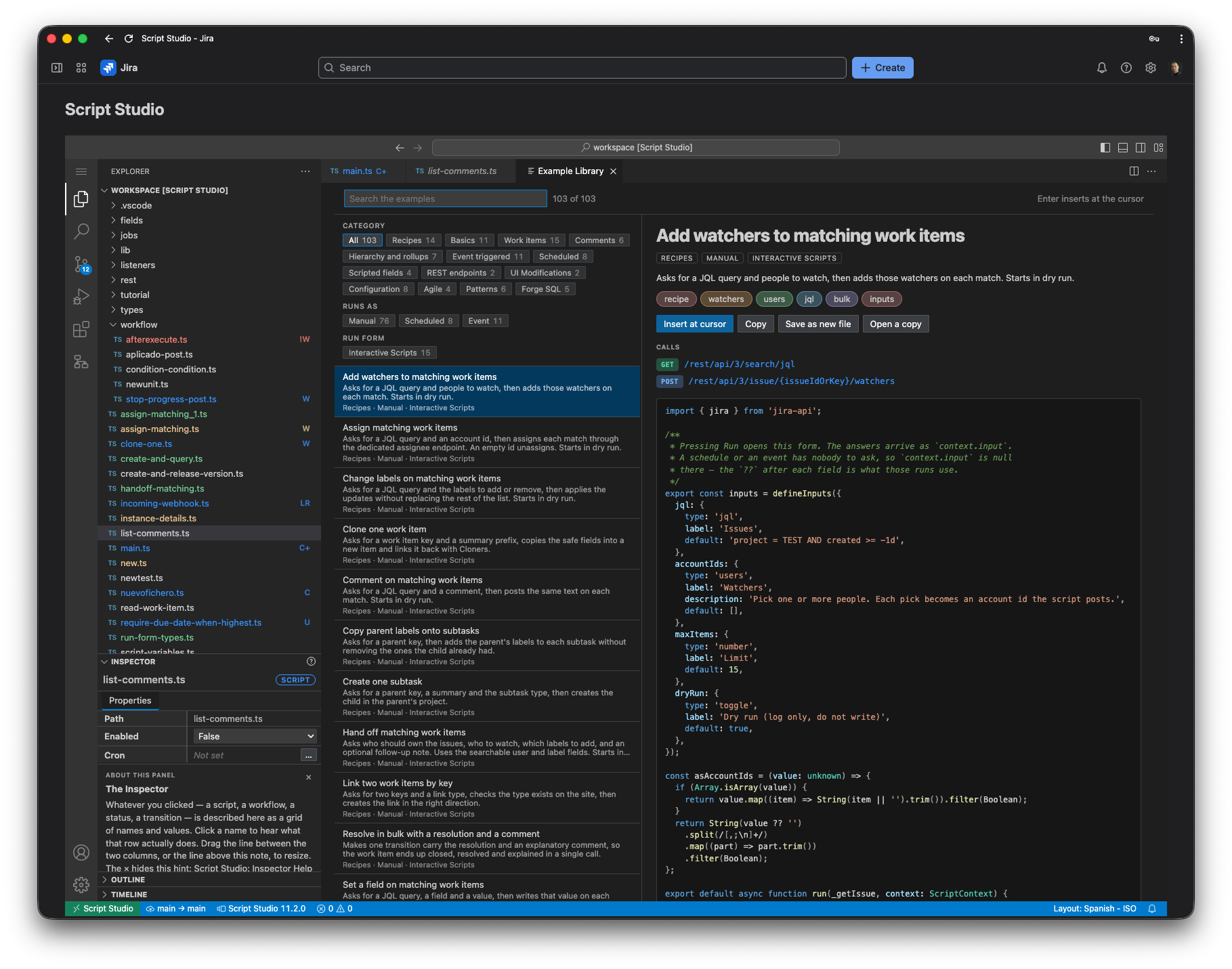
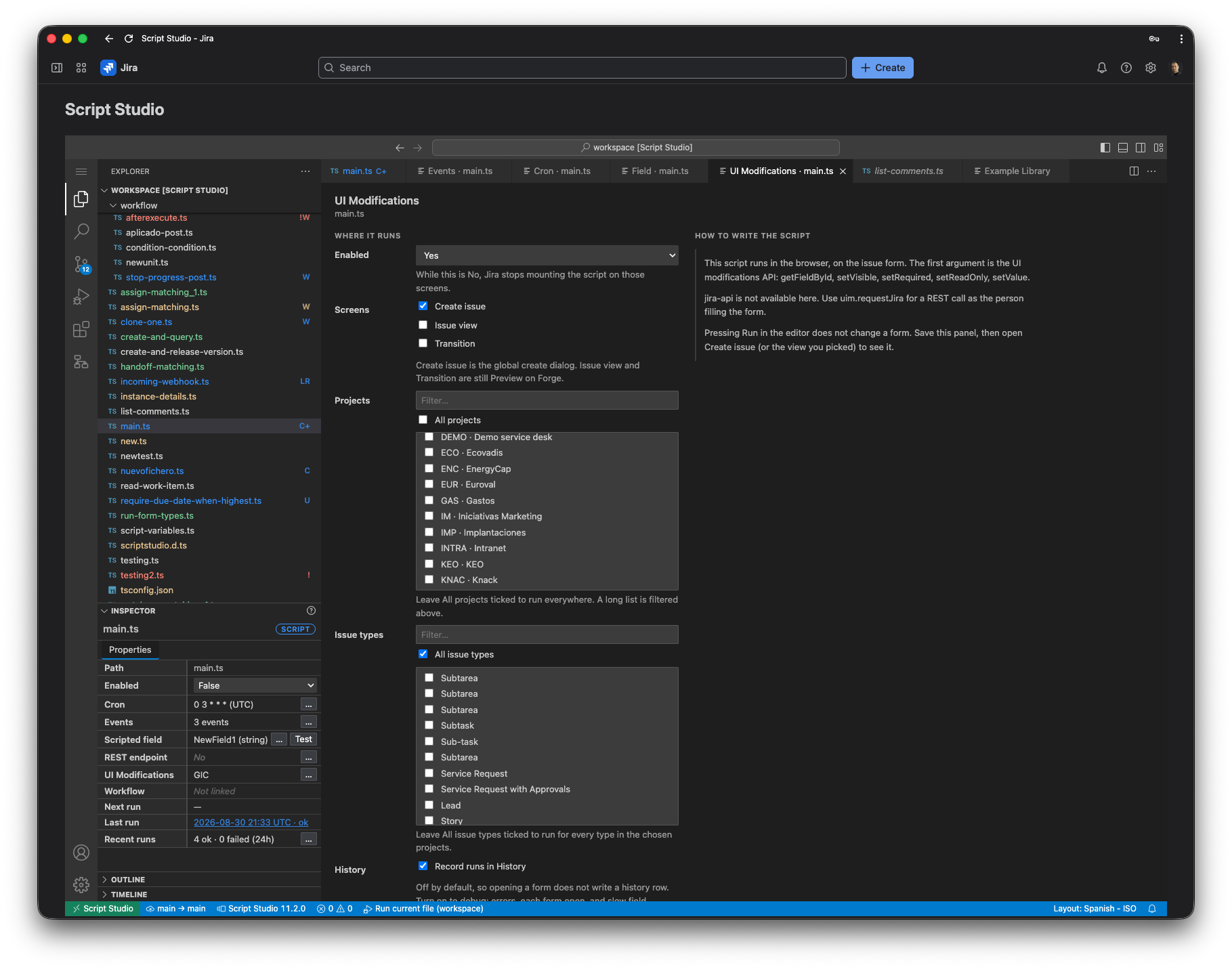
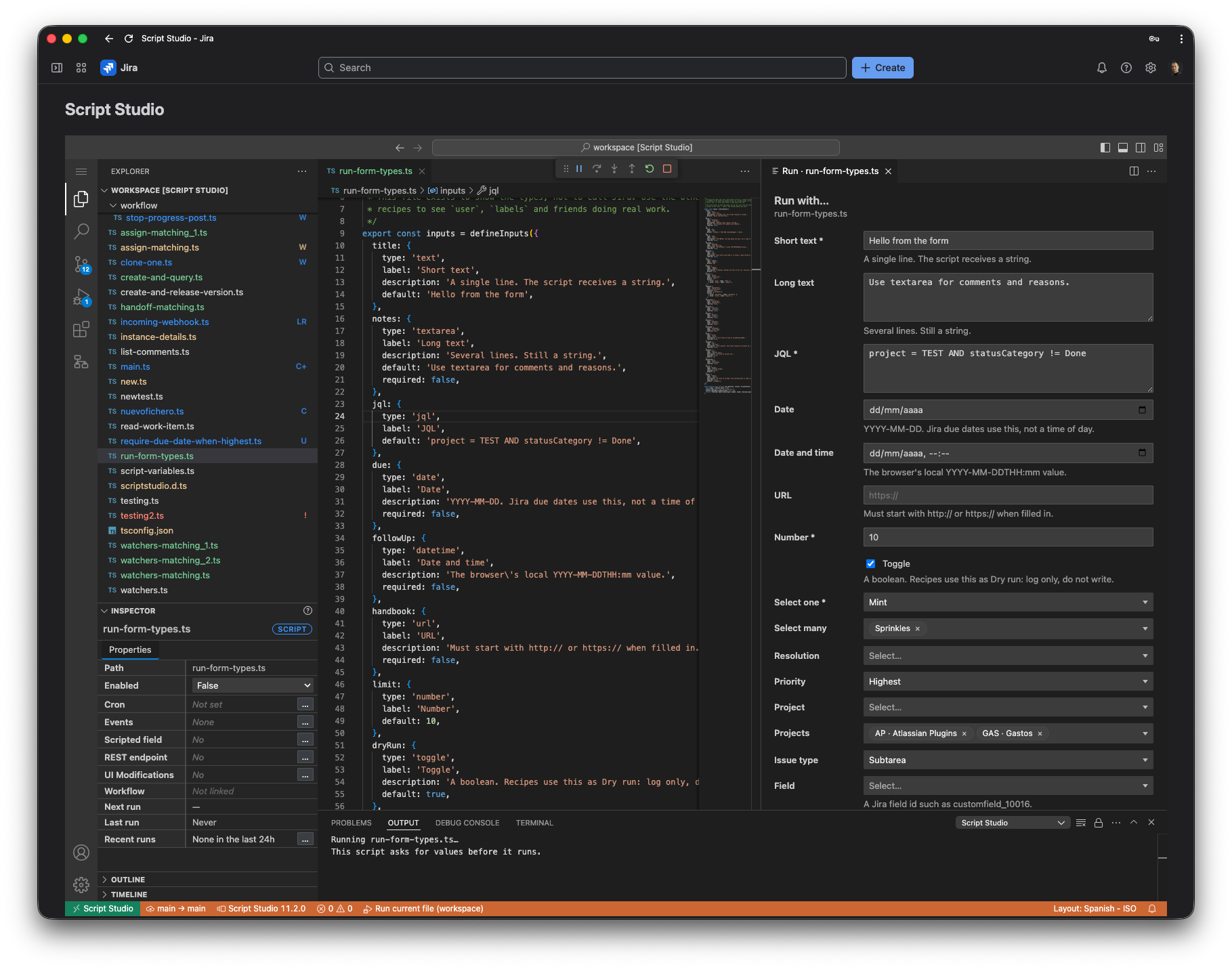
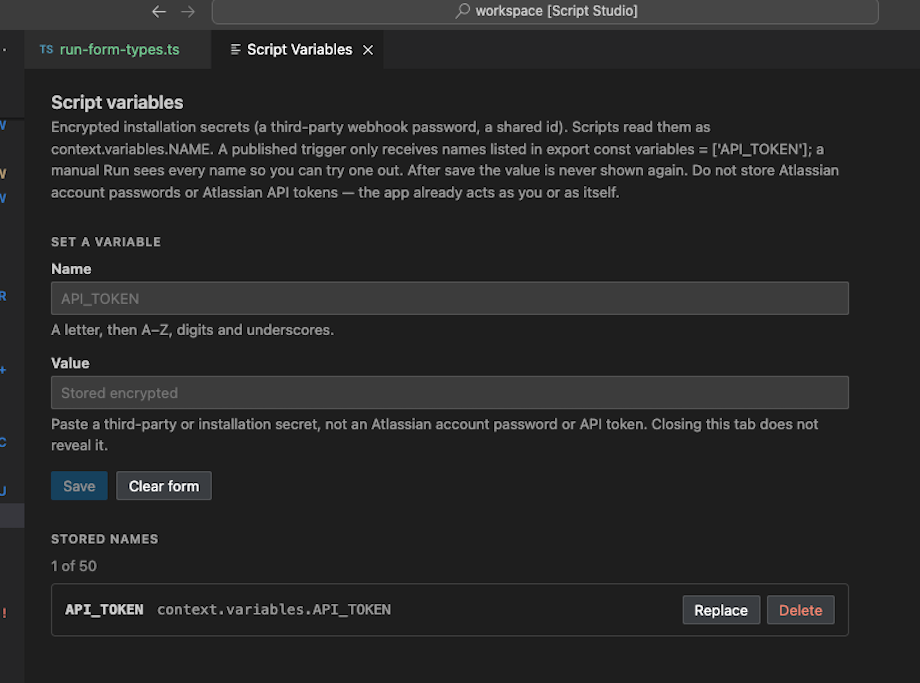
TypeScript workbench with Jira-aware development tools inside Jira Cloud.
Frequently asked questions
Is Script Studio a replacement for ScriptRunner?
Script Studio can cover many advanced Jira scripting and automation scenarios, but the products have different architectures, features and approaches. Script Studio is designed specifically around TypeScript development in Jira Cloud.
Do I need to know TypeScript?
Basic TypeScript or JavaScript knowledge is recommended. Script Studio is intended primarily for Jira administrators, developers and technical teams that want more control than visual automation tools provide.
Does Script Studio run inside Jira Cloud?
Yes. Script Studio is designed specifically for Jira Cloud and provides its development environment directly within Jira.
Can I use Jira REST APIs?
Yes. Scripts can interact with Jira REST APIs to implement custom Jira logic and integrations.
Can I schedule scripts?
Yes. Script Studio supports scheduled TypeScript jobs using cron-based schedules.
Can I use scripts in Jira workflows?
Yes. Script Studio supports workflow conditions, validators and post functions.
Bring TypeScript development to Jira Cloud
Build listeners, workflows, scheduled jobs, calculated fields, endpoints and custom Jira logic from one development environment.
Available for Jira Cloud.