Script Studio: Source Control
The workspace is a Git repository. Every change to every script has a recorded author, a description and a comparison against the previous version, and the whole workspace can be pushed to an external repository.
Note: Jira does not provide version history for its own configuration. This is one of the capabilities Script Studio adds: a change to a scheduled job or a workflow script can be examined as a difference, in a repository that can be cloned by anyone who needs to review it.
Note: 📹 Video placeholder — editing a script, reviewing the difference, committing the change, configuring a repository, and pushing.
1. The source control view
The source control view is available from the sidebar.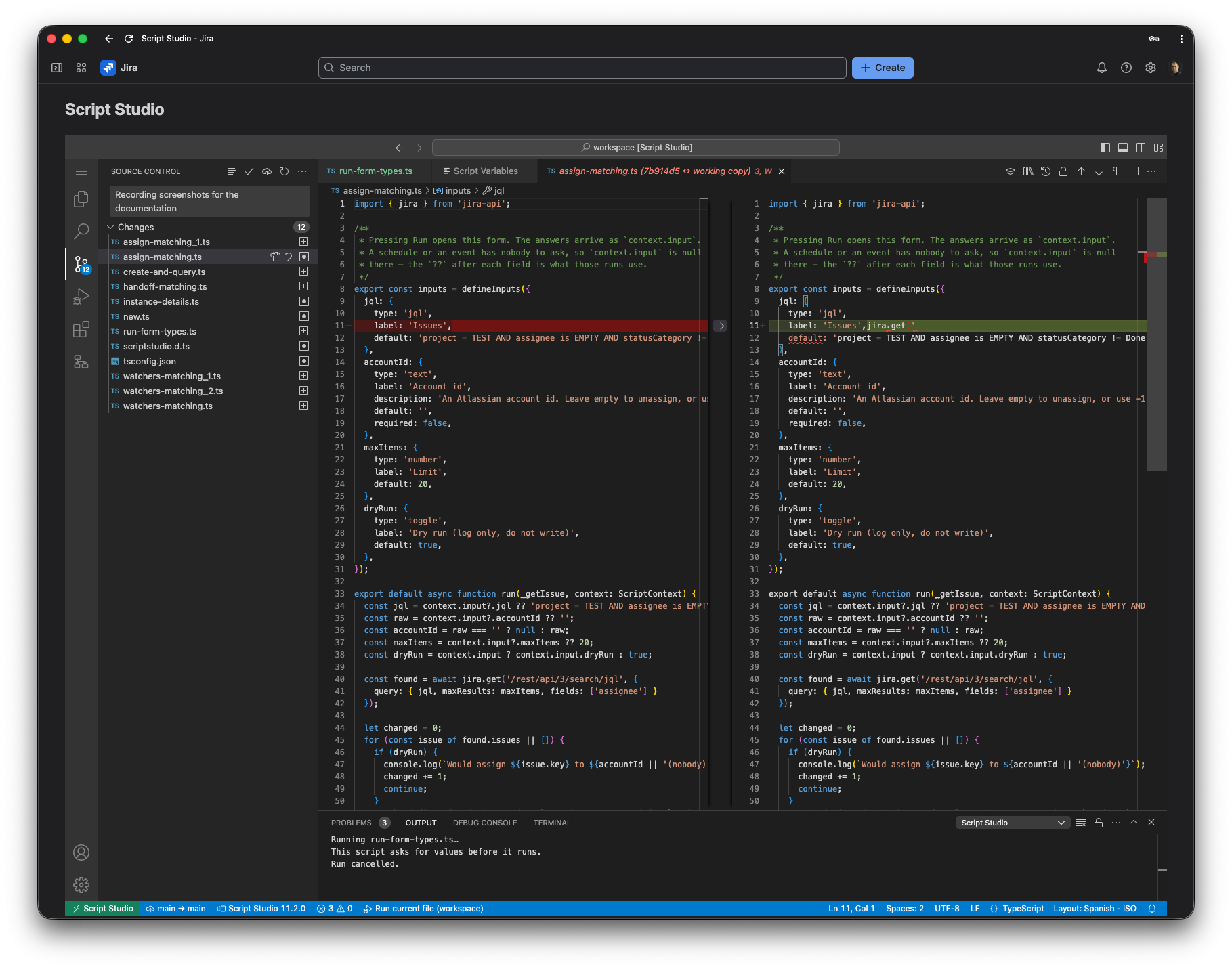
| Element | Contents |
|---|---|
| Description field | The description of the change being committed. Ctrl+Enter commits. |
| Changes | Every file added, modified or deleted since the last commit. |
| Not versioned | Files that are not source code. These are stored and retained, but are not included in commits. |
| Status bar | The push option, or an invitation to configure a repository where none has been set. |
2. Available actions
| Action | Description |
|---|---|
| Commit | Records the current changes with a description. |
| Open changes | Displays the committed version alongside the current version. |
| Change markers | Modified, added and removed lines are marked in the editor margin as a file is edited. |
| Discard changes | Restores a file to its last committed state, or removes it if it had not been committed. Confirmation is requested. |
| Show commits | Lists recent commits. Selecting one compares it with the file currently open. |
| File history | The history of an individual file, shown in the sidebar. Selecting an entry compares that version with the current one. |
| Push | Sends the committed changes to the configured repository. |
3. Configuring a repository
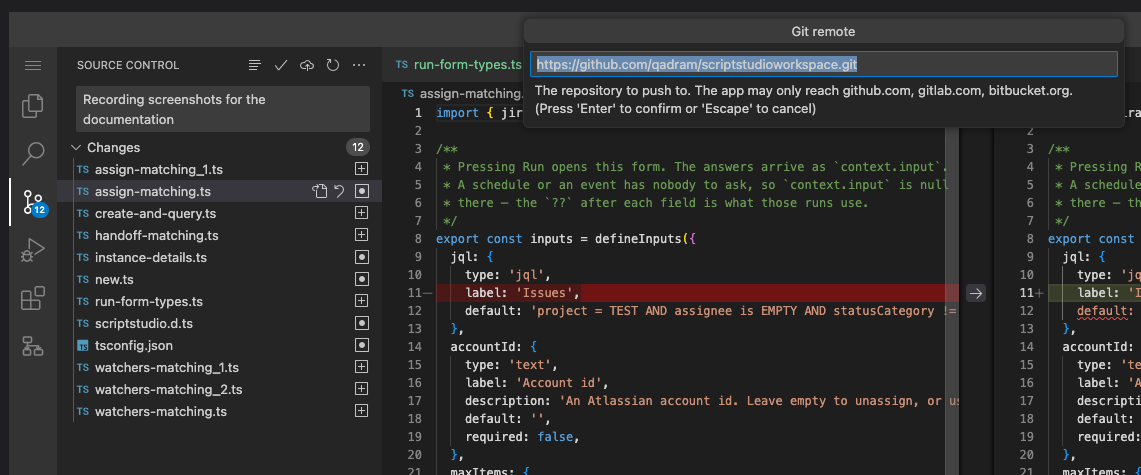
Use the Configure Git Remote command, or the settings option in the source control view. Four items are requested in turn.
- The repository address. An
httpsaddress. Credentials must not be included in the address. - The branch. The branch in the external repository to which changes are sent.
- An access token with permission to write to the repository. It is entered privately, stored securely, and is not displayed again. Leaving the field empty retains the existing token.
- Automatic behaviour, with two options that may be selected independently:
- Push after every commit.
- Commit and push periodically, approximately every five minutes if anything has changed. This is intended as a safeguard rather than as a substitute for committing with a description.
Supported repository providers
GitHub, GitLab and Bitbucket are supported. An address on any other host is not accepted. Advanced: adding another provider
The Forge platform only permits an application to contact network addresses that are declared in advance, and the three providers above are those declared. Using a self-hosted or enterprise repository requires the corresponding domain to be added to that declaration, followed by a new deployment and a reinstallation on the site. This restriction is a security control rather than an omission.
Limits on a push or a fetch
| Limit | Value |
|---|---|
| Size of a single push or fetch | 8 MB |
| Time allowed for the remote to respond | 20 seconds |
A workspace of scripts is ordinarily kilobytes, so these limits are reached only if something is unusually large, or a remote is unresponsive.
4. Repository arrangement
- The workspace has a single branch. The branch used in the external repository is configurable.
- Commits record the administrator who made them.
- The repository is a standard Git repository, so anything pushed from Script Studio can be cloned, reviewed, branched and compared using any Git tool.
5. Recommended practice
- Commit each change with a meaningful description. A description such as "Raise the escalation threshold from 14 to 21 days" is considerably more useful several months later than "update".
- Enable automatic pushing so that the external repository is always current and serves as both a backup and a record of changes.
- Enable periodic committing as a safeguard, not as the primary process.
- Review changes before committing them using the comparison view.
- Use Discard changes to abandon an unsuccessful change, rather than attempting to undo it manually.
6. Troubleshooting
| Message | Cause |
|---|---|
| Nothing has changed since the last commit | The workspace matches the last committed version. |
| The push failed because no repository or token is configured | Run Configure Git Remote. The message indicates which item is missing. |
| The push failed because the repository contains newer changes | Changes have been pushed to that branch from elsewhere. Reconcile them outside Script Studio, or use a different branch. |
| The push or fetch failed as too large, or timed out | The remote sent, or would have received, more than 8 MB, or did not respond within 20 seconds. |
| The address was not accepted | Only https addresses on the supported providers are accepted, and credentials must not be included in the address. |
| A file cannot be committed | The file is not source code. It appears under Not versioned. |